Categories
The activities your time is recorded against.
A category is a name, a colour, an icon and a daily limit, and it is the thing your time is actually filed against: a face only points at one (the General information page is the long version of why that matters). This tab is where categories are made, dressed, retired and brought back.
The two panels
One list in two halves: the categories you are picking from now, and the ones you have finished with. Active is open when the tab opens and Inactive is folded away, since one is worked in daily and the other is looked in occasionally. The whole heading row opens and folds a panel, not just its triangle. Create sits between them, belonging to the tab rather than to either list.
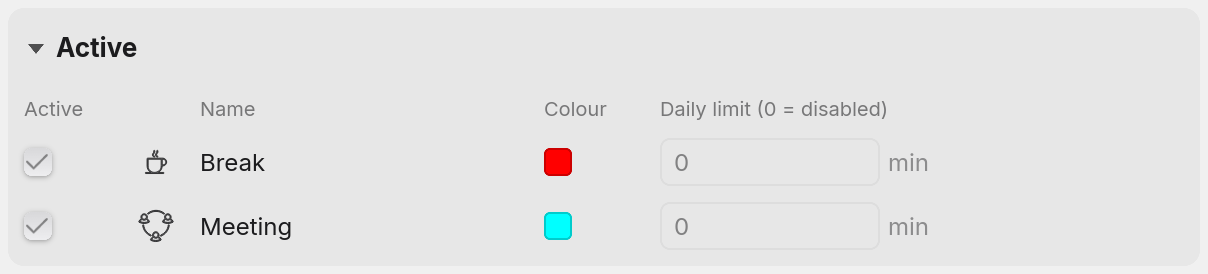
An active row carries the Active tick, the icon, the name, the colour and the daily limit, and the columns are captioned Active, Name, Colour and Daily limit. An inactive row carries the tick, the name and Last used, and nothing else. A retired category is kept so that the time recorded against it still resolves, which makes its colour, icon and budget a description of a past, and offering an edit that changes nothing would be worse than not offering it at all.

The row above is a category called JIRA-1234 that was retired, with its tick box cleared. Its last recorded time ended at 13:40 on 3 October. With nothing retired, the panel says No inactive categories instead.
Moving a category from one panel to the other is the tick box, and no recorded time moves with it. Every hour ever recorded against a category stays where it is and still appears in reports. Retiring one also takes it off every unlocked face holding it, and those faces go dark on the device, since a category that is out of circulation should not still be lit on the desk. If the device is resting on that face, Facet stops it. The tab does not offer to retire a category while a locked face holds it.
Bringing one back can be refused. If an active category now holds the same name, ticking the inactive one is turned down with That name is already in use, and the row stays where it was until one of the two is renamed.
Creating one
Click Create, type the name, then press Return to save or Escape to cancel. Names are cut at 35 characters. The same control sits under the list on the Faces tab, where it also puts the new category to use. Here it starts nothing. Runs of spaces are collapsed as it is saved, so two categories cannot end up differing only by how they were typed. The Faces page describes what is asked when the name is already taken.
A new category arrives with no colour and no icon. It is named first and dressed afterwards, rather than being handed a colour nobody chose.
Every active category has its own name
No two active categories can hold the same name, and case does not separate them: meeting and Meeting are one name here. It is the rule that stops a typo becoming a second category quietly collecting half of a ticket's hours.
Inactive categories are under no such rule. Any number of them can hold one name, alongside each other and alongside an active category holding it too. That is what lets a ticket number be used again a year later without disturbing what the first one recorded, and it is why the rule is about active names rather than about names.
Telling inactive categories with the same name apart
That is what Last used is for. It reads the end of the last stretch of time the category recorded, written like 25 Sep 2026, 15:04, or Never for one that never recorded any, and where two inactive rows share a name it is the whole of the answer to which is which.
Active rows do not carry the column. A category you are using now is not one you have to identify by when it stopped.
Colour and icon
Click the swatch for the colour list, or the icon for the icon grid. Each opens over the tab with the rest of it dimmed, and clicking anywhere outside it closes it without choosing. The colour list is twenty named colours with a tick on the current one, and the grid is forty-two icons. Clicking the one already chosen clears it, which is how a category goes back to having no colour or no icon: neither picker carries a blank cell to choose instead.
Neither is decoration. The colour is what the Faces tab draws the device in, and it is what the device lights that face in for real, so a glance at what is on the desk says what is being recorded. A category with no colour leaves its face unlit. The icon sits on the centre face of the device on the Faces tab, and beside the name in the lists.
A daily limit
The last column is a budget in minutes for a single day, 0 meaning no limit, which is what every category starts with. A day is the most it can be. It is counted from your own daily reset time rather than from midnight, and per category rather than per face, so two faces pointing at one category spend a single budget between them.
It is a hard limit. Reaching it stops the clock, and that category stays stopped for the rest of the day: Resume in the menu is greyed out and a click on the status icon is ignored while it is the one on show. Turning the device to a face whose category still has budget records as normal, and turning back stops it again. If the device is running when the limit is reached, Facet pauses it, and pauses it again within about a second if a turn or a double tap restarts it. Raising the limit here, or clearing it to 0, lifts the refusal straight away. Lowering it never does.
Renaming a category means what it says
A category can be renamed here, by clicking its name, and the rename applies to everything that category has ever recorded. Reports covering last month show the new name too. Inactive categories can be renamed the same way, from their own panel. Return commits the new name and Escape abandons it, and every rename asks first: Rename this category?, with Cancel and Rename, and a line saying the category keeps its history.
An active category cannot take a name another active category holds, and Facet says That name is already in use. Where only inactive categories hold the name, the rename is allowed after a warning. An inactive category can take an active category's name after a warning that it then cannot be brought back until one of them is renamed.
That sounds like the trap described on the General information page, and it is the opposite of it. Renaming answers this work was called the wrong thing, which is what you want when you fat-finger a ticket number: the hours were always JIRA-1256's, so correcting the spelling everywhere is correct. Pointing a face at a different category answers this face is for something else now, and leaves the old category holding its hours. Two different questions, two different gestures, in two different places. The arrangement Facet avoids is the one that answers both with the same box, where the difference between fixing a typo and rewriting a month of history is invisible until a report is wrong.
Which is also the one way to reproduce that problem here. Rename JIRA-1256 to JIRA-1264 rather than pointing the face at a new category, and Facet will do exactly what the other trackers do: both stretches of work end up under one name, added together, with nothing left to separate them by. A rename is for a category that was called the wrong thing. It is never the way to move on to the next piece of work.
A locked face freezes the whole row
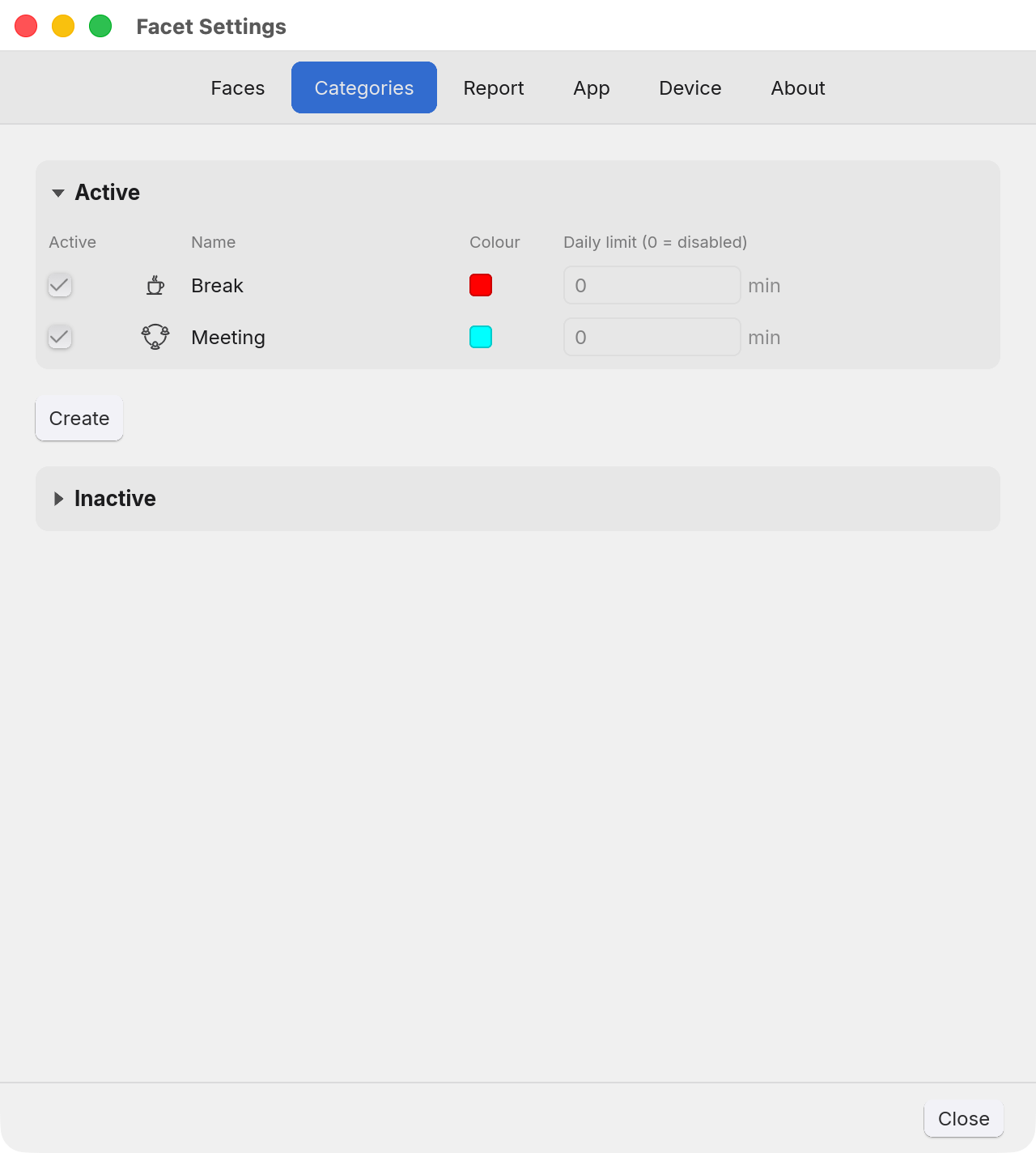
While a locked face holds a category, its row cannot be changed: the Active tick and the daily limit grey out, and the name, the icon and the colour stop responding. A locked face is one you have said keeps what it has, and half of what it has, the artwork and the colour it lights, lives on the category rather than on the face. Unlock it on the Faces tab and the row comes back. A new database starts with Break and Meeting on locked faces, which is why their rows are frozen in the screenshot at the top.
Anything else
Questions and faults: facet@tux.com.au.